By Nick Gelling
Product Test Journalist | Kaipūrongo Whakamātautau Hautaonga
If your smart TV has lost internet connectivity, or an app has stopped working, these small inexpensive devices are your new best friend.
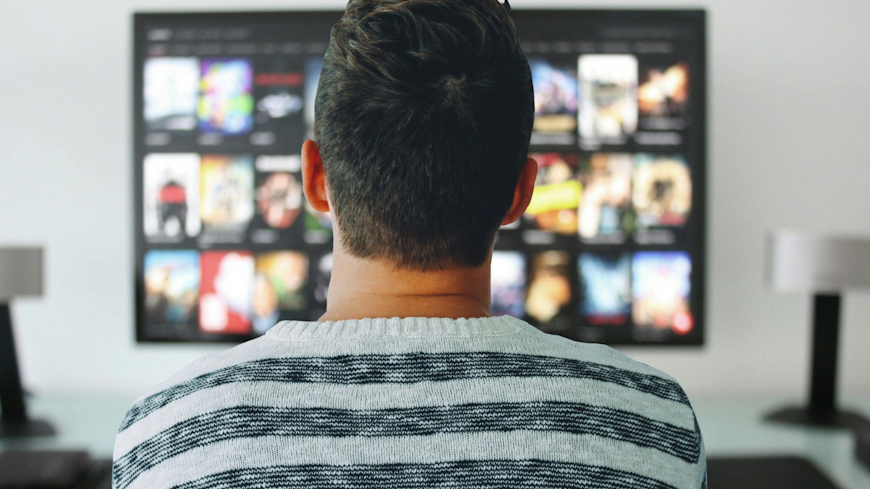
Digital media players (also known as streaming devices or dongles) are small computers that plug into a TV and take over its smart functions. When you use one, you can keep using your malfunctioning TV for its primary role as a display, effectively turning it into a “dumb TV” of old.
In April 2026, a major update to the TVNZ+ platform left its app incompatible with a range of smart TVs that were otherwise working fine. (See our discussion with RNZ about what the issue means for consumers.)
If you’re one of the thousands of consumers that unexpectedly lost TVNZ+ access, a streaming device could be the easiest and cheapest way to get it back.
Smart TV software often fails first
Manufacturers have historically been poor at supporting TVs for long enough. As a result, they tend to lose compatibility with third-party apps or stop receiving security updates, making it unsafe to use them to access the internet. You shouldn’t expect your smart TV to keep supporting your streaming apps indefinitely.
Unfortunately, local New Zealand apps are more likely to drop off first, because they’re maintained by smaller companies with fewer resources, and TV operating systems are developed overseas.
Media players are the solution
Once you start losing apps, it's time to switch to a separate device for handling streaming. Luckily, it’s easy. Plug one into an HDMI port on your TV, set it up on your WiFi network, and you’re away. The device will come with some apps preinstalled – think the big names like Netflix and Neon – and an app store of some sort where you can download other services.
Nearly all streaming devices come with a basic remote control and are used in much the same way you’d interact with a smart TV. They also have built-in Chromecast and/or Airplay, allowing you to control your TV from your Android or iOS mobile device, respectively.
Which media player is best?
We don’t think there’s a single “best“ media player. The best one for you depends on what you watch and which other devices you use. Most media players come in two versions. If you have a 4K TV, get a 4K player, but if not, you can save a bit on an HD variant.
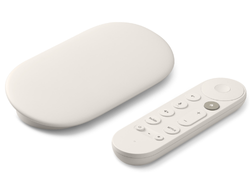
Google TV Streamer 4K
$179
Heard of Chromecast, the groundbreaking and iconic streaming device? Well, it doesn’t exist any more. In its wisdom, Google decided to toss out all that name recognition and replace it with this grey box.
The Streamer’s Google TV operating system might feel familiar. It’s the same as in many smart TVs, as well as the most recent generations of Chromecast. But if you’ve owned a Chromecast in the past, note that the Streamer is more advanced. It has a proper menu system, a remote control and a faster processor.
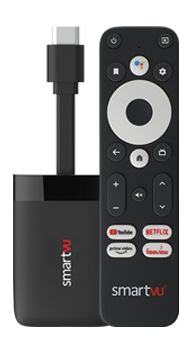
Dish TV SmartVU SV11
$149 (4K) | $89 (HD)
The SV11 a great option if you watch a lot of New Zealand TV. It comes with Freeview built in and is generally better at supporting New Zealand-specific channels (the manufacturer, Dish TV, is based in Kirikiriroa Hamilton).
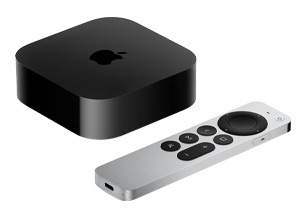
Apple TV 4K
$279
The Apple TV is on the pricey side, but it integrates so well with iOS devices that it can’t be beaten if you use an iPhone or iPad. It also has a faster processor than most media players and works well with other Apple services like Fitness+ and Arcade.
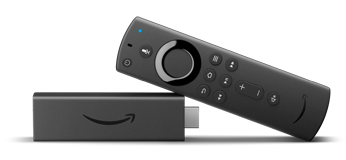
Amazon Fire TV Stick
$129 (4K) | $89 (HD)
As the cheapest media player that supports 4K video, the Fire TV Stick is a popular option. It runs on Amazon’s own Fire OS operating system, which feels similar enough to Google TV you won’t really notice. It’s also integrated with Alexa, rather than Gemini, if that matters to you.
A media player in every living room?
We foresee a world where many more consumers run their TV needs through a streaming device, rather than buying a new TV every few years. Display technology has reached a standard where even a basic TV you buy this year could keep you satisfied for at least a decade. You might need to buy another media player in that time, but that’s far cheaper than $3,000 on a new TV.
All computers get slower and less reliable as time goes on. Why use a computer that's built into a complex piece of hardware and costs thousands to replace, when you can instead use a cheap media player that's easy to upgrade?
Plus, every time a New Zealander buys a media player rather than a new TV, it's less e-waste going to landfill.
Does your TV’s screen need an update too?
Maybe your display has dead pixels, its picture is flickering, or you want to make the jump to 4K resolution. Our reviews can help you buy the best new TV.